WidgetGrid vs Live-Source Shortcut Panel Widgets on Mac
Compare WidgetGrid-style always-on Mac desktop engines with shortcut-panel widgets for websites, RSS, and APIs — when to embed a page, when to focus a signal.
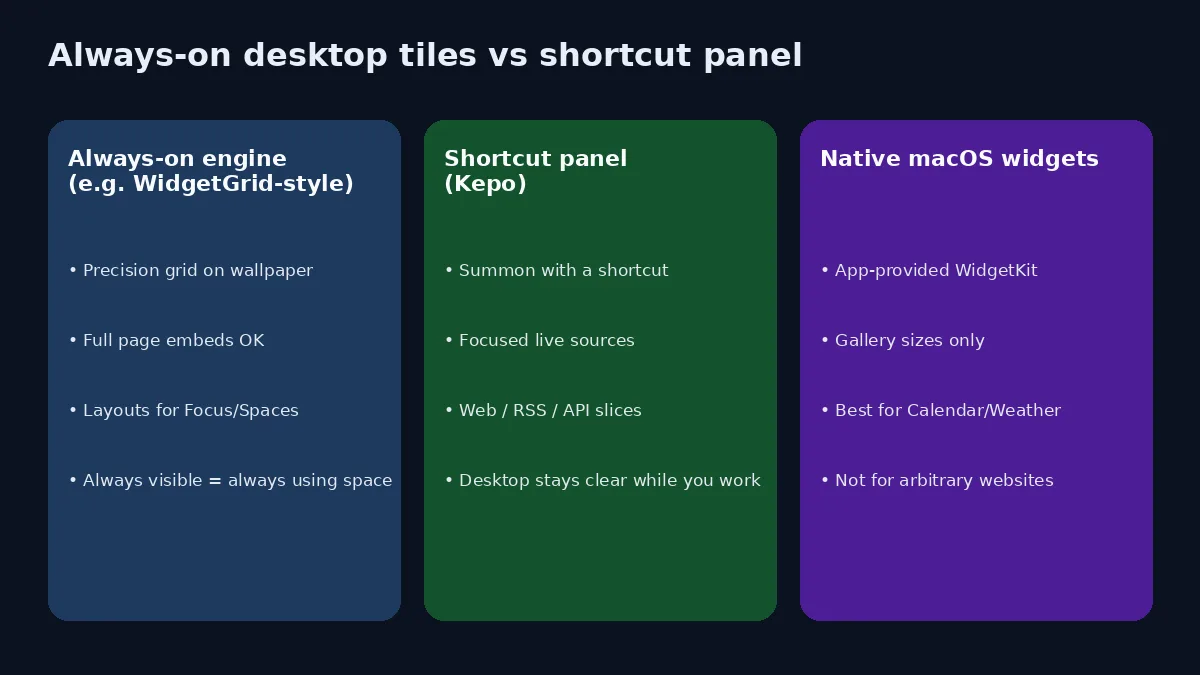
Search “turn a website into a Mac widget” and you land in two different product intents that look similar in screenshots.
One intent is an always-on desktop engine: drop live pages onto a grid, layer them above or below windows, and treat the wallpaper as a dashboard. WidgetGrid on Glaze is a clear example of that pitch — precision grid, built-in system/media widgets, “turn any website into a widget,” scriptable data, Focus-based layout switching.
The other intent is a shortcut panel of live sources: keep the desktop clear, summon focused RSS/web/API checks when you need them, and refuse to park mini-browsers on the wallpaper all day. That is Kepo’s lane.
This article is not a feature checklist war. It is a decision guide for Mac users who track many live sources and need to know which shape of “widget” they actually want.
Create it with Kepo AI
Compare WidgetGrid-style always-on Mac desktop engines with shortcut-panel widgets for websites, RSS, and APIs — when to embed a page, when to focus a signal.
Key solutions at a glance The main decisions from this guide, condensed into one table.
Clarify the name collision first
“WidgetGrid” shows up in more than one place:
- Glaze WidgetGrid — a Mac desktop widget engine aimed at living desktop dashboards, including live web pages and custom data widgets (per its Glaze listing, updated mid-2026).
- App Store WidgetGrid — a separate product historically oriented around turning Sheets/Excel/Notion/Airtable into data-driven mobile/home-screen style widgets. Same marketing word, different job.
When people comparing “WidgetGrid Mac” with “website → widget” tools mean the desktop-engine class (Glaze WidgetGrid, and neighbors like Duckboard or TileTop), use that framing. Do not assume one App Store page equals the other.
Related always-on / embed tools that appear in the same SERP cluster:
- Duckboard — select parts of websites as live desktop widgets; preset gallery; macOS and Windows.
- TileTop — pin interactive web pages or folders as glassy tiles on the desktop layer (open-source AppKit approach).
Kepo overlaps on “website as widget,” but differs on surface (shortcut panel vs always-on tile) and goal (focused signal vs embedded page).
Always-on desktop vs shortcut panel
| Question | Always-on engine (WidgetGrid-style) | Shortcut panel (Kepo) | Native macOS widgets |
|---|---|---|---|
| Where does it live? | On/near the wallpaper, often grid-snapped | Hotkey panel over your work | Desktop or Notification Center |
| Best default source | Interactive pages, system gauges, themed packs | RSS, page sections, APIs, status/admin slices | Apps that ship WidgetKit |
| Failure mode | Clutter, distraction, mini-browser sprawl | You forget to open the panel | No widget for your custom source |
| Honest fit | “My desktop is the dashboard” | “I monitor many sources while coding/writing” | “Apple or the app already solved it” |
Embed the page
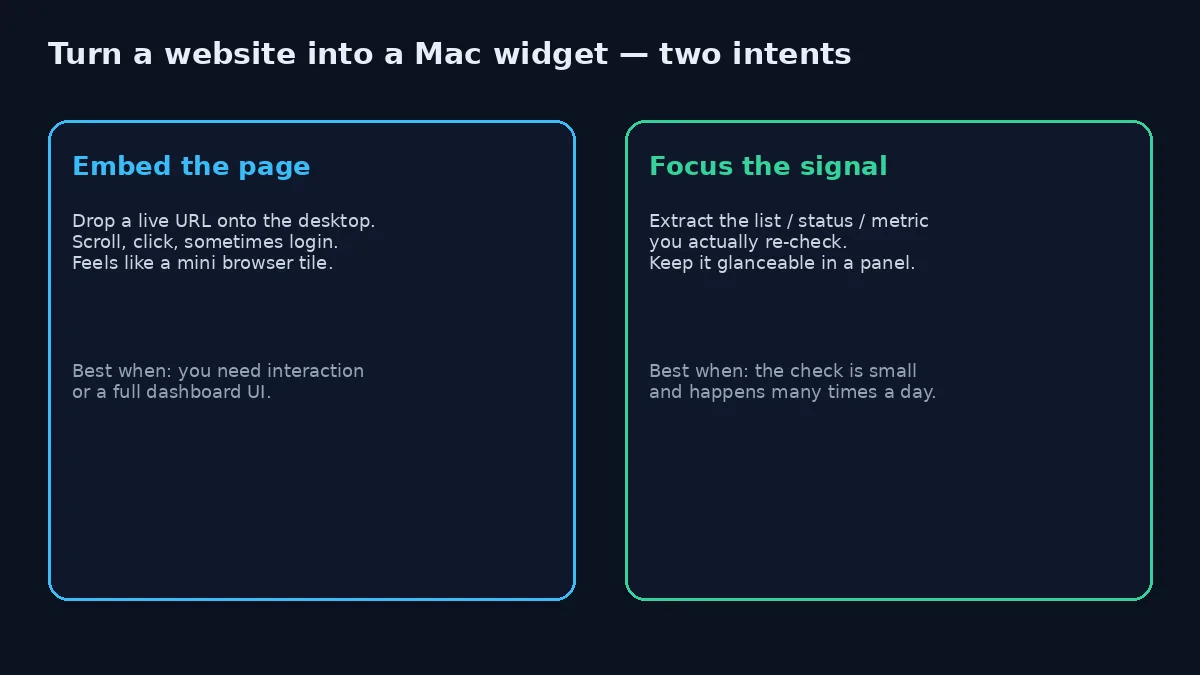
Always-on engines shine when you truly need a live page: Grafana that you click, a calendar web UI you drag events on, a dashboard that only makes sense as HTML. Dropping a URL onto the desktop is then the right abstraction — you are choosing a thin window, not a summary.
Cost: the tile consumes attention even when the metric is green. Multiple full-page embeds recreate the tab problem on the wallpaper.
Focus the signal
Most “I keep checking this site” habits are smaller than a page. You want the latest three posts, the status color, the queue depth, the price row. Kepo is built for that: start from a website, RSS feed, or API-shaped source and keep a narrow job in a panel. See website widget for Mac and RSS widget for Mac.
Opinionated rule: if you cannot finish the sentence “I only need to know ___,” you are not ready for a focused widget — open the real page. If you can finish it, an always-on full embed is usually overkill.
When WidgetGrid-style always-on is the better pick
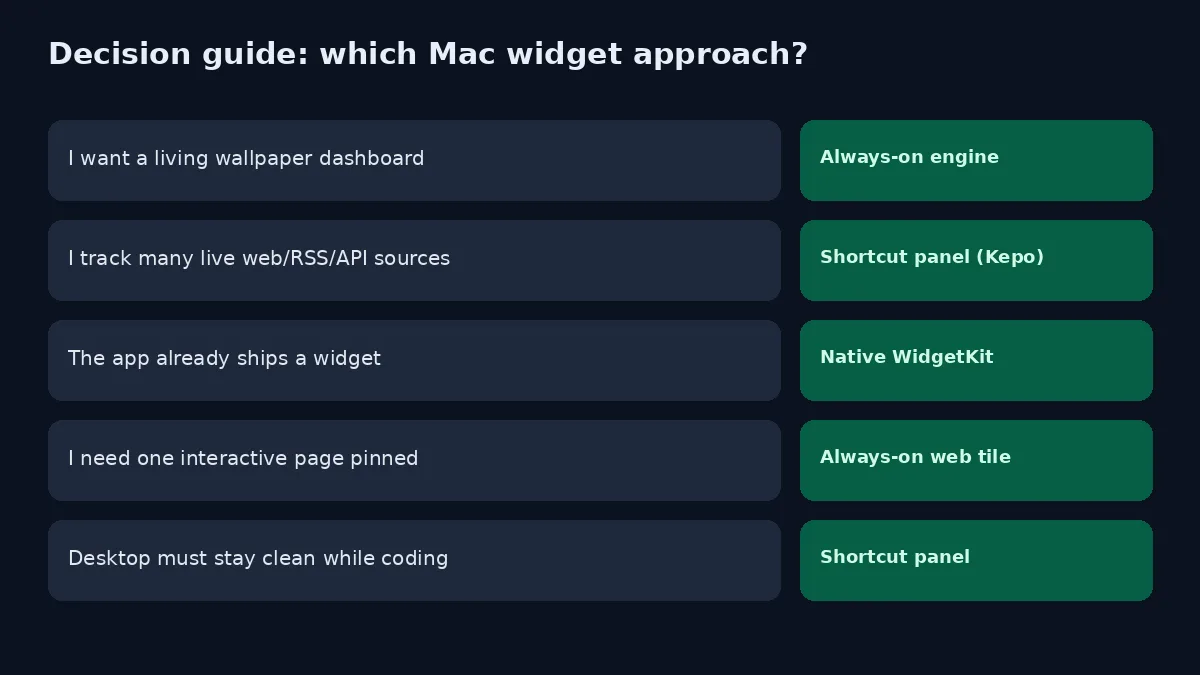
Choose an always-on desktop engine when:
- You enjoy arranging a precision layout across monitors and Spaces.
- You want system monitors, now-playing, and web tiles in one visual theme.
- Layouts should swap with Focus Mode / time of day / power state (as WidgetGrid’s Glaze listing describes).
- Interaction matters: click-through dashboards, not just glanceable lists.
Be honest about aesthetic projects. A beautiful desktop is valid. It is still different from “reduce repeated checks while I write code.”
When a live-source shortcut panel is the better pick
Choose Kepo when:
- You track many sources (feeds, changelogs, status pages, launch lists, internal strips).
- Your Mac is usually covered in full-screen or dense windows — wallpaper widgets never get a glance anyway.
- You need sources Apple’s gallery does not cover.
- Sensitive or work-specific pages should appear on demand, not as permanent wallpaper chrome.
That last point is underrated. Always-on tiles advertise whatever they show to anyone looking over your shoulder. A shortcut panel is a smaller privacy surface for internal URLs.
For the product-level map of native vs custom, read custom Mac widgets. For ready starters, see free widgets for Mac and custom Mac widgets.
“Turn website into Mac widget” — a practical checklist
- Name the repeated question. One sentence. If it needs scrolling and typing, keep a browser or an interactive tile.
- Prefer RSS when it exists. Cleaner than scraping a layout that changes. Kepo’s RSS path is documented separately.
- If no RSS, crop to a section. Article list, table, status banner — not the whole marketing site.
- Pick the surface last. Always-on only after you know the content deserves permanent pixels.
- Cap the count. Three to six live checks beat fifteen pretty tiles.
Built-in macOS widgets still win for Calendar, Reminders, Weather, Batteries, and Stocks. Neither WidgetGrid nor Kepo should replace those.
Soft product honesty
Kepo is not trying to be a full desktop theming engine. If your joy is grid snap, glassmorphism packs, and Focus-driven layout theater, an always-on engine is closer to that job. If your pain is “I reopen the same five live sources between commits,” a shortcut panel removes more friction per pixel.
You can also mix: Apple widgets for basics, one always-on tile for a true interactive dashboard, Kepo for the swarm of feeds and status checks.
FAQ
Is WidgetGrid the same as Apple’s desktop widgets?
No. Apple’s widgets come from WidgetKit apps in the system gallery. WidgetGrid-style tools are third-party engines that draw their own desktop surfaces, often including live web content Apple’s gallery will not host.
Can Kepo drop any website onto the wallpaper like a mini browser?
Kepo’s design center is a focused widget in a shortcut-accessible panel, not a permanent transparent browser pane. For interactive full-page embeds, always-on engines or a normal browser window are usually clearer.
Do I need both?
Sometimes. Use always-on for one interactive dashboard you truly live with. Use Kepo for the long tail of RSS/web/API checks. Use native widgets for apps that already did the work.
Soft CTA
If you are comparing WidgetGrid-style desktops with live-source panels, start from the sources you reopen daily — not from a template gallery. Bring those URLs or feeds into Kepo, keep the panel small, and only graduate something to an always-on tile if it still earns glances after a week.
Stay informed with Kepo on your desktop
Embed interactive widgets, monitor dynamic sites, track APIs, and run ambient AI agents right on your macOS desktop.
Related Articles
View all posts →Best RSS readers for Mac: reader apps vs desktop RSS ticker widgets
The best RSS setup for Mac depends on whether you want to read many feeds or keep a few work signals visible on your desktop.
Kepo vs macOS widgets: custom AI widgets for Mac
The macOS widget gallery is the right place to start, but it can only show widgets that supported apps already provide.
Kepo vs Raycast: Mac desktop widgets vs command launcher
Raycast and Kepo both reduce context switching on Mac, but they solve different parts of the workflow.
Kepo vs browser tab managers: AI widgets instead of more tabs
Tab managers and desktop widgets both reduce browser clutter, but they do it from opposite directions.