Guides 6 min read
How Many Weeks Are in a Month?
A calendar month contains four full weeks plus zero to three extra days. The exact answer depends on whether the month has 28, 29, 30 or 31 days.
Read post
Deep dives on macOS desktop widgets, ambient information flows, and AI-powered workspaces.
Kepo helps you create focused widgets for the information you follow and the tools you use every day.
A calendar month contains four full weeks plus zero to three extra days. The exact answer depends on whether the month has 28, 29, 30 or 31 days.
Choose JPG for photos to save bandwidth with lossy compression. Choose PNG for screenshots, crisp text, and transparent backgrounds. Converting PNG to JPG irreversibly flattens transparency onto a solid background.
The metric system uses uniform decimal scaling across meters, grams, and liters. Imperial and US Customary systems use historical body and trade units. While lengths are shared, US and British fluid gallons differ by more than 16%.
Identify whole units before the object endpoint, count subdivisions by mark height, and reduce fractions. Always align to the true zero line rather than the physical edge.
A leap year has 366 days instead of 365, adding February 29 to synchronize our calendar with Earth’s 365.2422-day solar orbit. Learn the divisible-by-4, 100, and 400 rules.
A business day is any standard official working day—typically Monday through Friday, excluding weekends and public holidays. Learn how cut-off times and weekend pauses affect 3-5 day delivery estimates.
Read the whole inch before the endpoint, count the remaining equal spaces, and add the fraction. On a metric tape, combine centimeters and millimeters. If you start away from zero, subtract the starting reading.
Room temperature describes indoor temperature, not one fixed reading. A useful approximate reference is 20°C (68°F); the intended value or range depends on the context.
To convert Celsius to Fahrenheit, multiply by 9/5, then add 32: °F = (°C × 9/5) + 32. To convert back, subtract 32 from Fahrenheit, then multiply by 5/9.
On a Mac, open System Settings, select the active network connection, open Details and inspect TCP/IP for the Router value. On Windows, inspect the active adapter’s Default Gateway using ipconfig. These are local gateway settings, not the public IP shown by a website. A browser page cannot reliably read them for you.
Open Settings, choose Network & internet, select the connected Wi-Fi network or Ethernet connection and read IPv4 address in its properties. That is the selected adapter’s local address. To find the public address seen by an internet service, use a separate public-IP check; the two values can legitimately differ.
Enter two dates to count calendar days, weekdays, and weekends. Check whether to include the end date, follow a worked example, and account separately for holidays.
Learn how to find IP address on Mac across local network interfaces and public gateways. Master Terminal shortcuts, understand private vs. public routing, and pin live network widgets to your desktop.
Crop an image on Mac with Preview or Photos, or try the center-crop tool on this page. Compare selection controls, aspect ratios, PNG export, and ways to preserve the original.
Reddit threads reveal two truths about Mac widgets: people keep tools that answer repeated checks at a glance, and they quickly outgrow Apple’s static built-in gallery. Here is the distilled Reddit setup and how Kepo fills the gap.
Mac productivity is not only about faster commands. It is also about reducing the repeated checks that interrupt deep work.
The Kepo Developer Tools plugin turns small developer checks into desktop widgets so JSON, JWTs, regex tests, hashes, timestamps, cron schedules, colors, diffs, and UUIDs stay one glance away.
The Kepo Google Search Console plugin turns repeated SEO checks into a small desktop view for the sites you watch every day.
Native macOS widgets are great when an app already gives you what you need. Kepo covers the rest — including the web pages and feeds people used to wish old Mac OS X widgets could handle.
Not every website gives you RSS, a native Mac widget, or a useful notification channel. Kepo gives repeated website checks a smaller desktop surface.
An RSS reader is the right place to read and organize many feeds. An RSS widget is for a smaller job: seeing whether one important source changed.
GitHub is still where the real work happens. Kepo is for the smaller habit around GitHub: checking whether something changed.
Raycast and Kepo both reduce context switching on Mac, but they solve different parts of the workflow.
The Kepo YouTube plugin turns two repeated YouTube checks into focused desktop widgets: channel updates and notification bell activity.
The Kepo Product Hunt plugin turns launch discovery into one desktop feed for product names, taglines, links, and richer details when Product Hunt exposes them.
The best RSS setup for Mac depends on whether you want to read many feeds or keep a few work signals visible on your desktop.
The macOS widget gallery is the right place to start, but it can only show widgets that supported apps already provide.
Tab managers and desktop widgets both reduce browser clutter, but they do it from opposite directions.
The best Mac widgets answer a small question, stay readable, and save you from reopening the same app or browser tab.
The Kepo Event Timer plugin gives you two focused timer surfaces: Countdown for time remaining and Since for time elapsed.
A practical guide to adding widgets to the Mac desktop, using the built-in widget gallery, and creating custom widgets when the widget you need does not already exist.
A useful AI-built widget starts with one repeated check: the feed, website, status, task, or text workflow you want to keep close.
Widgets appear on desktops, phones, websites, dashboards, and apps. The useful ones all have the same job: make one repeated check or action easier.
Mac widgets can live on the desktop, in Notification Center, or inside a custom Kepo workspace. Removing or hiding them depends on where the widget is placed.
Editing a widget can mean changing what it shows, where it sits, how it appears, or what data source it uses.
Mac widgets can appear in more than one place. If you cannot find them, start by checking the desktop, Notification Center, and the widget gallery.
A small static widget usually uses little energy. A frequently refreshing custom widget can cost more, especially if it keeps checking the network.
The best custom widget is not a tiny browser tab. It is the smallest view that answers something you check again and again.
The Kepo GitHub plugin turns common GitHub checks into focused desktop widgets for builders who need to stay aware without living in browser tabs.
The Kepo X plugin turns repeated Twitter checks into focused desktop widgets for social listening and daily account monitoring.
The Kepo Instagram plugin helps creators and researchers check the Instagram views they revisit without opening the full app every time.
The Kepo Reddit plugin turns community research and subreddit monitoring into small desktop widgets.
The Kepo Weibo plugin helps social teams and researchers monitor Sina Weibo signals without reopening the site for every check.
The Kepo Bilibili plugin keeps video discovery and logged-in Bilibili checks close to your desktop workspace.
The Kepo RSS Reader plugin helps you follow blogs, newsletters, changelogs, and news feeds without opening a separate reader.
The Kepo TodayHot plugin gives you a compact way to scan trending topics from supported news and community sources.
TradeTrack gives Kepo users a compact TradingView-style quote view for lightweight price checks.
The Kepo Todo List plugin is for quick daily task management without opening a full project management app.
The Kepo Pomodoro Clock plugin keeps focus sessions close without opening a separate timer app.
The Kepo Polymarket plugin is for quickly checking market odds without repeatedly opening a prediction market page.
The Kepo Server Monitor plugin connects over SSH and shows core server metrics in a desktop widget.
The Kepo System Monitor plugin keeps local CPU and memory status visible while you work.
The Kepo Web Status plugin helps you see whether a website is reachable without opening a full uptime dashboard.
The Kepo Calculator plugin is a local utility widget for everyday calculations without opening a separate calculator app.
The Kepo AI Widget plugin lets you turn repeatable text workflows into prompt-configured desktop widgets.
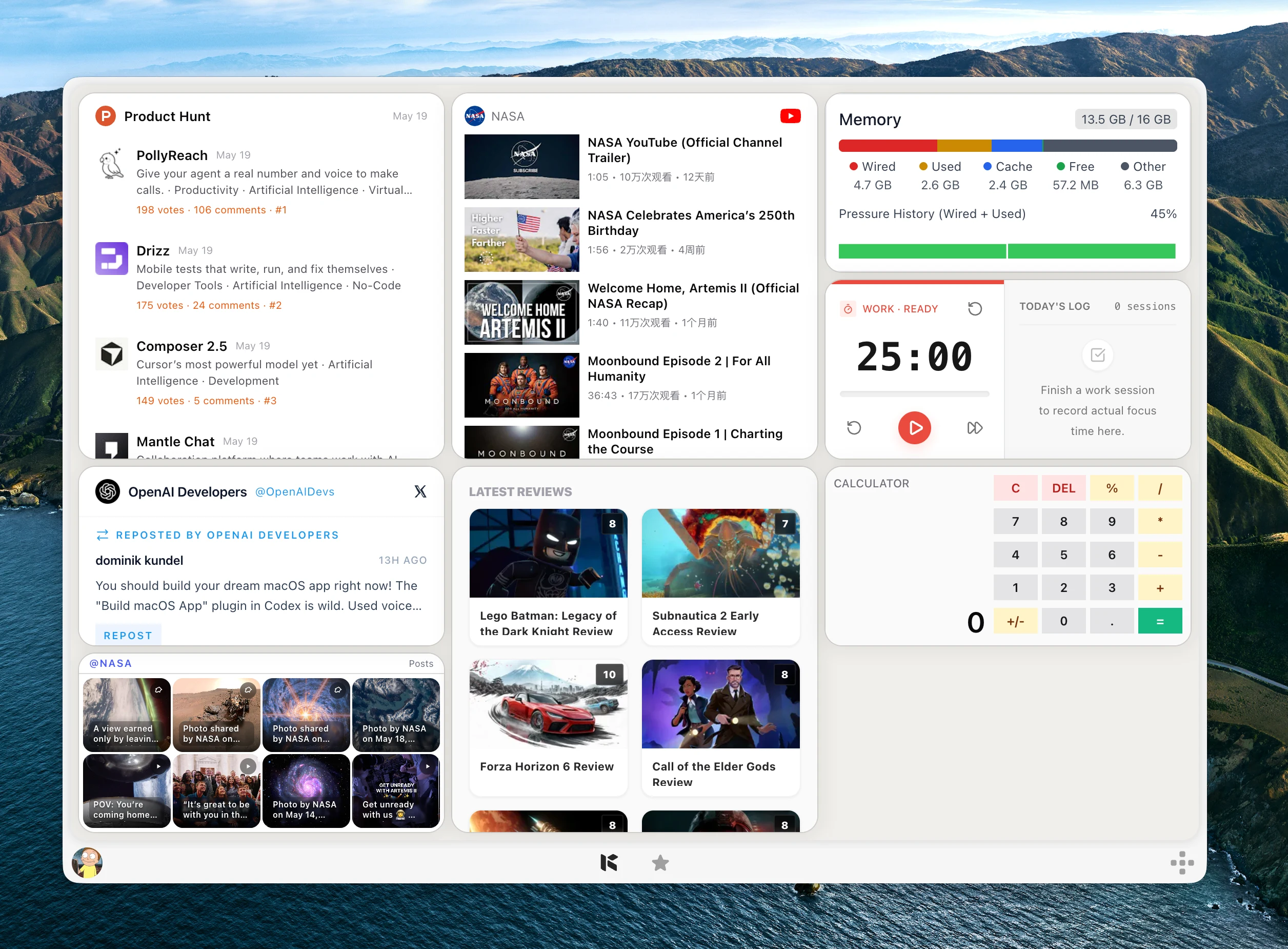
Kepo helps you create focused widgets for the information you follow and the tools you use every day.
Try adjusting your search or category filter to find what you are looking for.
Never miss important website updates, Reddit discussions, or RSS feeds with ambient widgets on your Mac.