Apple's "Pro and Tell" Event on October 28: How to Track It From Your Mac Desktop
Apple's "Pro and tell" event is October 28 at 10 a.m. PT in Los Angeles, and it is a media experience rather than a classic keynote. Here is the time in your zone, what is confirmed vs rumored, and a Mac widget setup to catch the news.

Apple's "Pro and tell" event is on Wednesday, October 28, 2026, at 10 a.m. Pacific Time (1 p.m. Eastern, 17:00 UTC) in Los Angeles. Apple sent the invites on October 19. It is an in-person media experience, so do not count on a classic keynote stream: the announcements are expected to land as Apple Newsroom press releases.
That changes how you follow it. Instead of keeping a stream tab open, put three things one shortcut away on your Mac: the Apple Newsroom feed, a countdown to 10 a.m. PT, and a live keyword watch for reactions.
Create it with Kepo AI
Apple's "Pro and tell" event is October 28 at 10 a.m.
Key solutions at a glance The main decisions from this guide, condensed into one table.
What Apple confirmed, and what is still rumor
Keep the two apart. Only the invite details come from Apple; the product list comes from reporting.
| Detail | Status | Source |
|---|---|---|
| Name: "Pro and tell" | Confirmed | Apple invite, also posted by Greg Joswiak on X |
| Date and time: Wed, Oct 28, 10 a.m. PT | Confirmed | Apple invite |
| Place: Los Angeles, an "experience" for invited media | Confirmed | Apple invite |
| 14- and 16-inch MacBook Pro with OLED touchscreen and Dynamic Island, M5 Pro / M5 Max | Rumor | Bloomberg's Mark Gurman, via 9to5Mac |
| M6 iMac and entry-level M6 14-inch MacBook Pro | Rumor | Bloomberg's Mark Gurman |
| iPad mini with an OLED display | Rumor | Bloomberg's Mark Gurman |
| Possible launch date: Friday, November 6 | Rumor | Bloomberg's Mark Gurman |
It is Apple's second event this month, after the "Welcome home" launch on October 13 in New York (HomeView, HomePod mini 2 and a new Apple TV 4K).
Event time in your time zone
10 a.m. PT on October 28 falls after Europe leaves summer time (October 25) but before the US does (November 1). That is why the UK gap is seven hours that week instead of the usual eight.
| City | Local time |
|---|---|
| Los Angeles (PDT) | Wed, Oct 28, 10:00 a.m. |
| New York (EDT) | Wed, Oct 28, 1:00 p.m. |
| London (GMT) | Wed, Oct 28, 5:00 p.m. |
| Berlin / Paris (CET) | Wed, Oct 28, 6:00 p.m. |
| New Delhi (IST) | Wed, Oct 28, 10:30 p.m. |
| Beijing / Singapore | Thu, Oct 29, 1:00 a.m. |
| Tokyo (JST) | Thu, Oct 29, 2:00 a.m. |
| Sydney (AEDT) | Thu, Oct 29, 4:00 a.m. |
If you are in Asia or Australia, this is an overnight event. A widget you can open with one key the next morning is more useful than staying up for a stream that may not exist.
Why there may be no keynote to watch
MacRumors expects this to work like the HomeView launch: invited media get hands-on time in Los Angeles, and everyone else learns about the products from press releases. Those could go out at 10 a.m. PT, or earlier in the morning, around 9 a.m. Eastern, as Apple often does (MacRumors).
If the news arrives as press releases, the fastest signal is the Apple Newsroom feed, not a video page. The first hands-on impressions then follow from the press and on X.
So the job is not "watch a stream". It is "notice the moment new posts appear, then skim the first coverage". That is a feed-and-glance job, which is exactly what a small widget does well.
Set up an Apple event tracker in Kepo
Kepo keeps small widgets in a floating panel you open with a global shortcut, over any app, including full-screen ones. For this event, four widgets cover it.
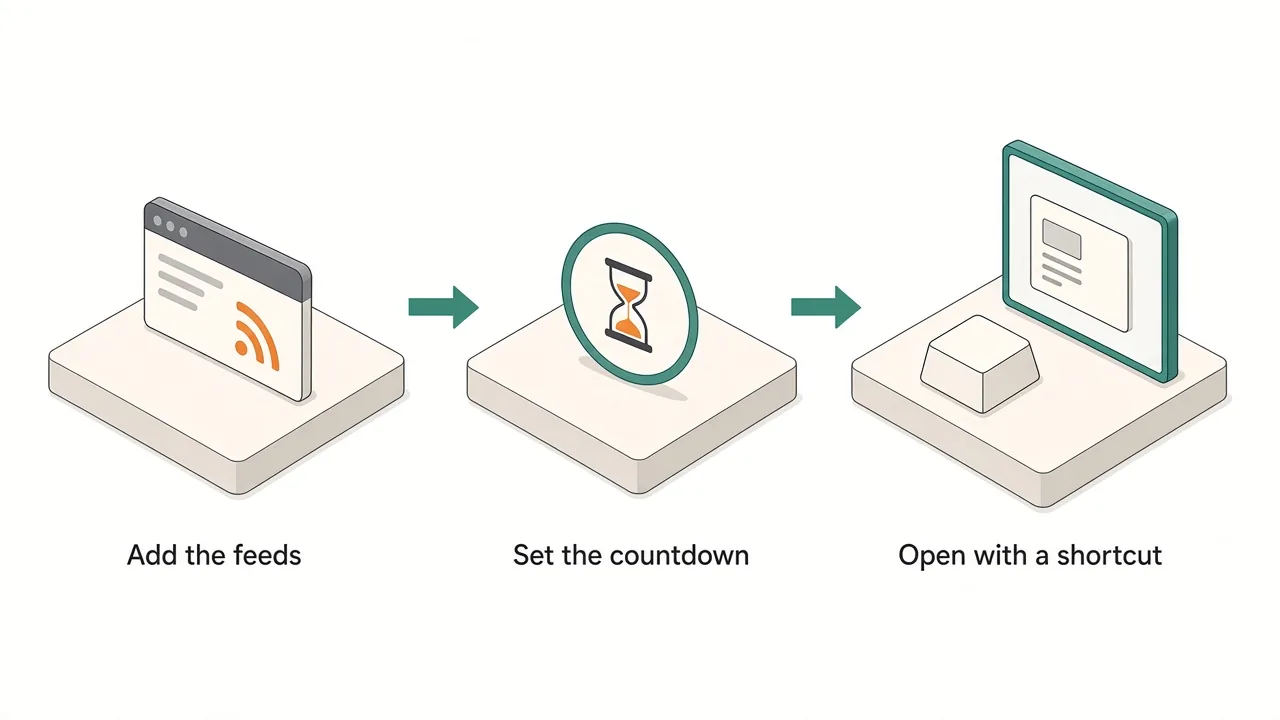
1. Apple Newsroom feed (the official signal)
- Widget: RSS Reader, which reads RSS and Atom feeds.
- Feed URL:
https://www.apple.com/newsroom/rss-feed.rss(an Atom feed of Apple's press releases and stories). - What it shows: the newest Newsroom headlines with links to the full release. On October 28, if the reports are right, a new MacBook Pro or iPad mini headline at the top is your answer.
2. Countdown to 10 a.m. PT
- Widget: the Event Timer countdown, named
Pro and Tell. - Setting: the countdown runs for a length of time from when you save it, so pick Hour as the unit and enter the hours left until 10 a.m. PT. Example: set it on Wednesday, October 21 at 10 a.m. PT and the value is
168(exactly seven days). - What it shows: the time left, so you know when to start checking. It is a display only; it does not send a reminder, so add a Calendar alert if you need one.
3. Reactions on X
- Widget: X Keyword Watch from the X widgets.
- Keyword:
Pro and Tell. - What it shows: the latest posts from X's Live results for that exact phrase. Sign in to X first for reliable results.
4. One rumor or coverage feed
- Widget: a second RSS Reader (each widget reads one feed).
- Feed URL: pick one site you trust, for example
https://9to5mac.com/feed/orhttps://feeds.macrumors.com/MacRumors-All. - What it shows: hands-on posts and "everything announced" roundups as they publish.
Keep it to one coverage feed. Three Apple blogs repeating the same headline is noise, not coverage.
Optional: build a filtered widget with AI
If you only care about Macs, describe the widget instead: for example, "Show the latest Apple Newsroom headlines that mention Mac or iPad, with title and time. Refresh it every 30 minutes." Review the generated widget before adding it to the panel.
Reloading tabs vs one shortcut panel
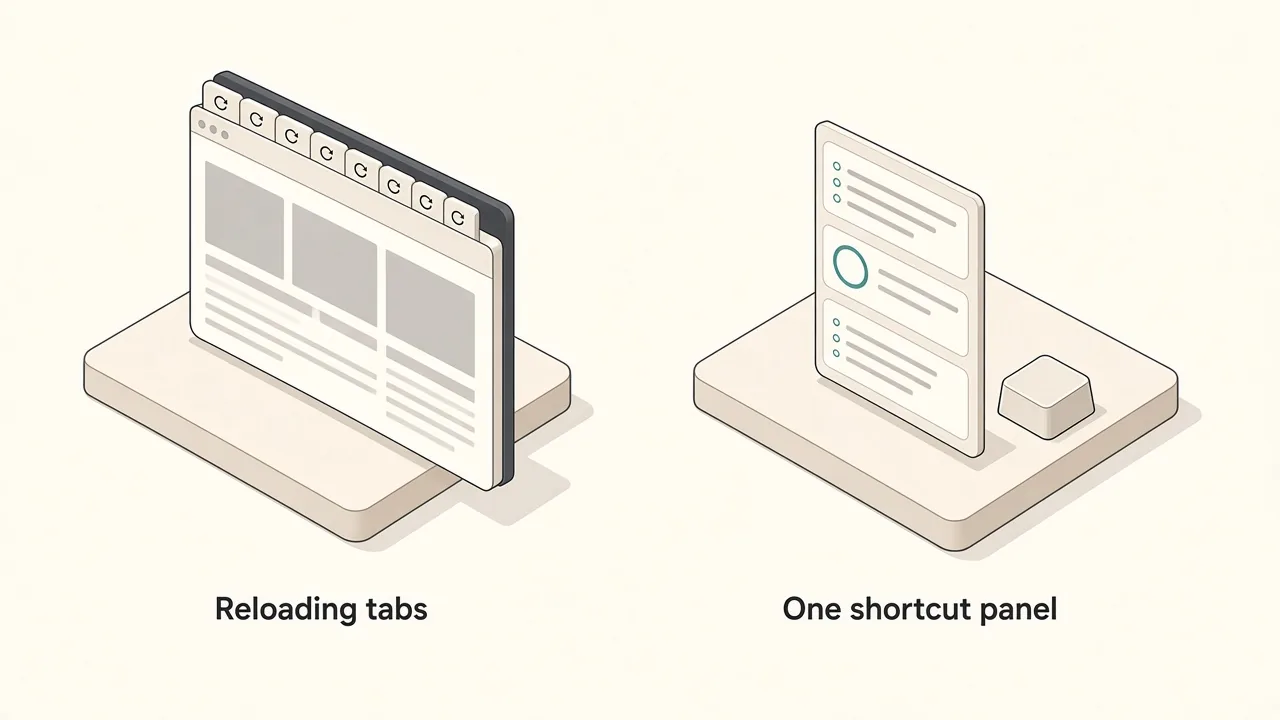
| Browser tabs | Kepo panel | |
|---|---|---|
| Official news | Reload Apple Newsroom yourself | RSS widget fetches it in the background |
| Time left | Work it out from PT | Countdown widget shows it |
| Reactions | X tab you keep scrolling | Keyword widget, glance and close |
| During work | Switch away from your app | One shortcut over the app, one to hide |
The panel also suits the day after. Once the products are announced, swap the countdown for whatever you check next: an order status page in a website widget, or a review feed.
Before you install
Kepo runs on Macs with Apple silicon (M1 or later) and macOS 12 or later. There is no Intel version. Details are in Kepo system requirements.
FAQ
What time is Apple's October 28 event?
10 a.m. Pacific Time on Wednesday, October 28, 2026. That is 1 p.m. Eastern, 5 p.m. in London, and 1 a.m. on Thursday, October 29 in Beijing and Singapore.
Will Apple livestream the Pro and Tell event?
Apple invited media to an in-person experience in Los Angeles. MacRumors expects press releases rather than a standard keynote, so the Apple Newsroom feed is the safest place to watch.
What products are expected?
Reports from Bloomberg's Mark Gurman point to OLED touchscreen MacBook Pro models, an M6 iMac, an entry-level M6 MacBook Pro and an OLED iPad mini. Apple has confirmed none of these until it announces them.
Can a Kepo widget notify me when Apple posts?
The widgets in this setup are for glancing: open the panel and see the newest items. The countdown widget does not send reminders by itself. For an alert at a fixed time, add a Calendar event.
Get set up before October 28
Set it up once before October 28: Apple Newsroom feed, a countdown, and a Pro and Tell keyword watch, all behind one shortcut. Download Kepo for your Apple silicon Mac and add the first widget in a few minutes.
Stay informed with Kepo on your desktop
Embed interactive widgets, monitor dynamic sites, track APIs, and run ambient AI agents right on your macOS desktop.
Related Articles
View all posts →How to calculate days between dates and business days
Enter two dates to count calendar days, weekdays, and weekends. Check whether to include the end date, follow a worked example, and account separately for holidays.
How to find IP address on Mac: local vs. public IP explained
Learn how to find IP address on Mac across local network interfaces and public gateways. Master Terminal shortcuts, understand private vs. public routing, and pin live network widgets to your desktop.
How to crop an image on Mac: native tools and instant workflows
Crop an image on Mac with Preview or Photos, or try the center-crop tool on this page. Compare selection controls, aspect ratios, PNG export, and ways to preserve the original.
How to add widgets on Mac with AI-built custom widgets
A practical guide to adding widgets to the Mac desktop, using the built-in widget gallery, and creating custom widgets when the widget you need does not already exist.